Reduce AWS Cost: A Step-by-Step Playbook for 2026
Learn how to reduce AWS cost with a playbook covering rightsizing, Savings Plans, and storage optimization. Save over 30% on your cloud bill.
The biggest mistake in AWS cost work is treating Savings Plans as the first move. The waste is usually already inside the account, hidden in oversized instances, idle resources, and architectural sprawl, and a commitment can freeze that waste in place instead of removing it. Flexera's benchmark found 35% of cloud spend was wasted on average, with a sample range of 25% to 45%, which is a blunt reminder that cost reduction starts with cleanup, telemetry, and ownership, not with a discount purchase alone. Flexera's cloud waste benchmark makes the pattern hard to ignore, and AWS's own cost-efficiency reporting shows the same long tail of under-optimized accounts.
The practical way to reduce AWS cost is to sequence the work like an engineer, not like a shopper. First get visibility, then rightsize, then buy commitments against a stable baseline, then keep governing the footprint so savings don't creep back into the bill. That sequencing matters because the wrong order turns optimization into a pile of sunk cost.
Table of Contents
- Why Most AWS Cost Reduction Programs Fail
- Establishing Cost Ownership Through Tagging and Attribution
- Rightsizing Instances and Workloads for Maximum Savings
- Choosing the Right Savings Plans and Reserved Instances
- Optimizing Storage, Data Transfer, and Caching
- Building Continuous Monitoring and Anomaly Detection
- Your 90-Day AWS Cost Reduction Rollout Plan
Why Most AWS Cost Reduction Programs Fail
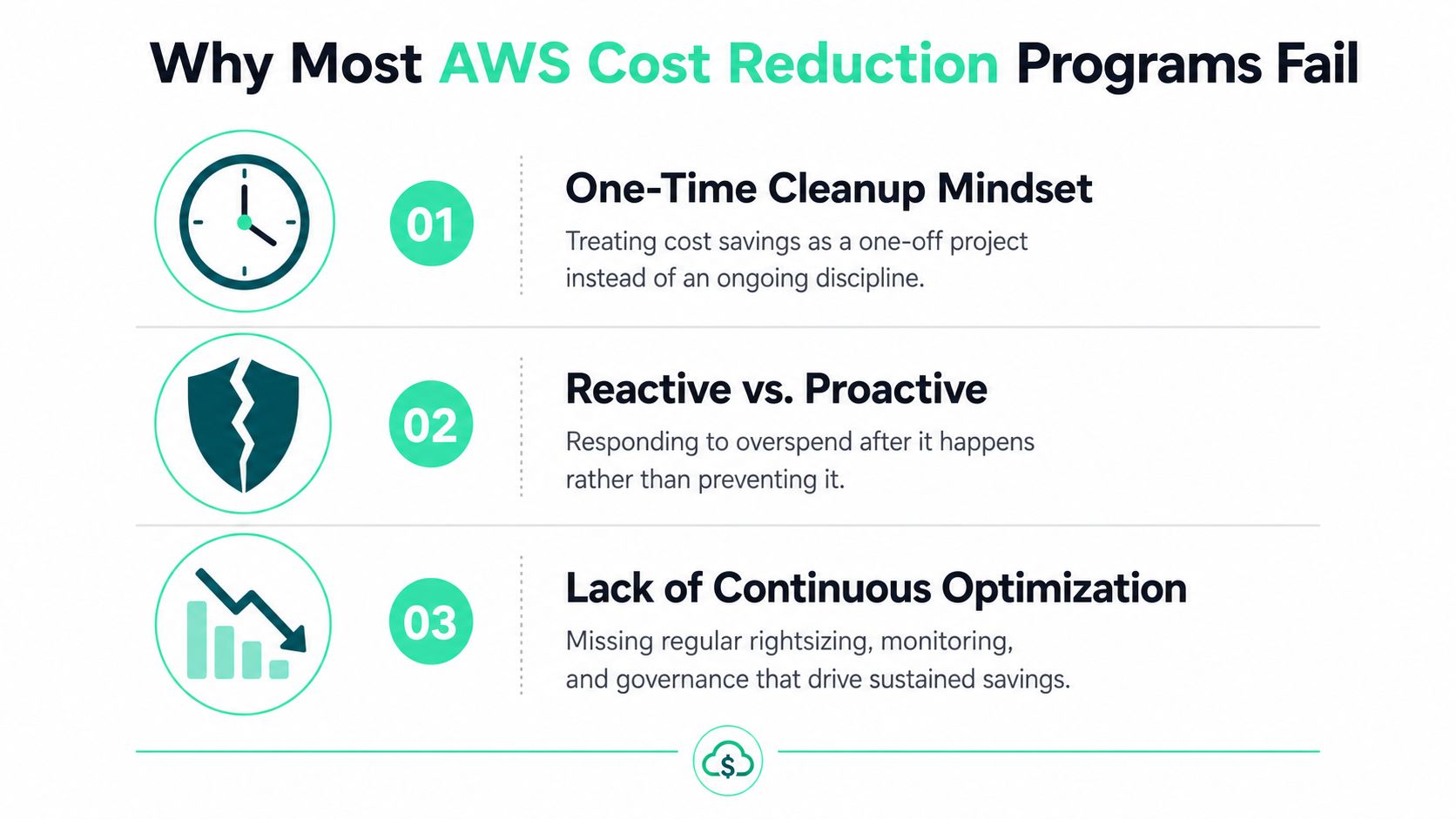
Most AWS cost programs fail because teams hunt for a single lever and call it a strategy. They shut down idle instances, buy a commitment, maybe delete a few volumes, and assume the bill will behave on its own. That works for a week. Then product growth, release cycles, or a new environment bring the waste right back.
The sequencing trap
The worst mistake is buying a Savings Plan before rightsizing. AWS's own guidance says larger customers using both Savings Plans and rightsizing were running about 60% more of their EC2 instances on newer hardware and improving their median Cost Efficiency score 4x faster than customers using Savings Plans alone, which is a strong signal that commitments work best after the footprint is cleaned up. AWS cost-efficiency reporting reinforces the point. If you commit too early, you lock in oversized infrastructure and pay for unused headroom.
The second failure pattern is optimizing only the instance layer. AWS showed one organization cut costs by 39% in 12 weeks by scoring effort versus impact and consolidating more than 150 Network Load Balancers onto five Application Load Balancers with zero downtime. AWS's case study shows why structural savings can beat instance tuning when the waste sits in load balancing, network design, or duplicated services.
Practical rule: If a team can't name the owner of a line item, that line item will drift back to waste.
The third failure is governance collapse. Without clear ownership, savings age out fast, because nobody is accountable when a development fleet grows, a new data pipeline lands, or a team forgets to tear down test infrastructure. A useful mental model is to treat AWS cost reduction as a portfolio, not a project, which is why many platform teams tie this work into their IT financial management process. IT financial management discipline
Establishing Cost Ownership Through Tagging and Attribution
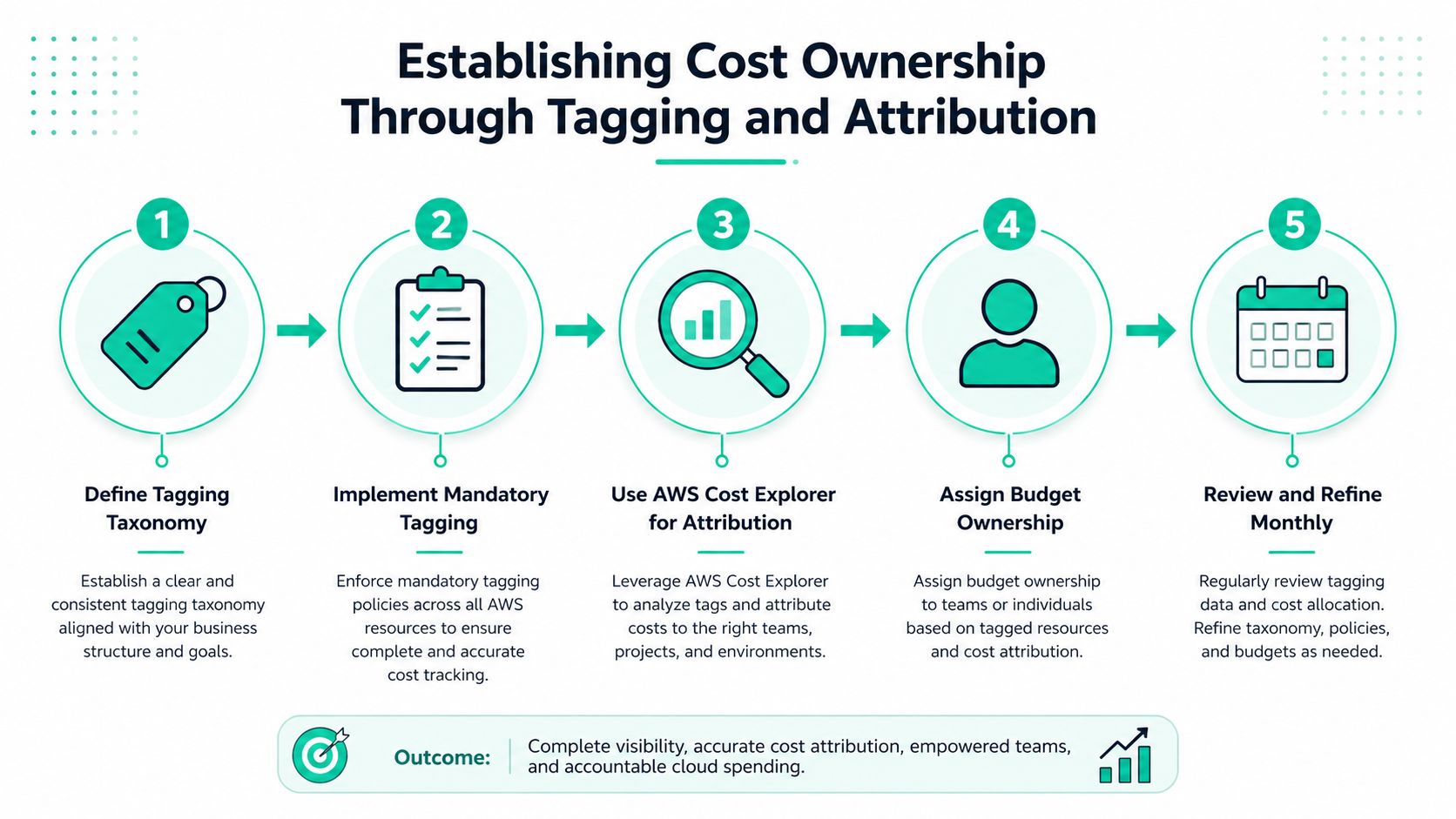
You can't reduce what you can't assign. If a cost line doesn't map to a team, project, or environment, it usually won't get fixed, because no one feels the pain directly. That's why tagging is not admin work, it's the first control surface for AWS spend.
Build a tag taxonomy people will actually use
Start with a small set of mandatory tags, then keep it rigid. In practice, the tags that survive are the ones engineers can apply without guessing, usually environment, owner, service, and cost center. If the taxonomy grows into a taxonomy war, people stop tagging and the data becomes decorative.
AWS Cost Allocation Tags are the right place to anchor the workflow, because they let you activate tags for billing and then use them in reporting. Pair that with AWS Cost Explorer and your CUR, the Cost and Usage Report, so attribution can move from a dashboard idea to a finance-ready view. CUR reporting guidance is especially useful if you need a repeatable export that can be reconciled outside the console.
Handle shared resources with ownership rules
Shared services need policy, not debate. NAT gateways, load balancers, centralized logging, and shared databases rarely belong to one team cleanly, so the practical move is to assign the owner to the consuming platform team or split attribution by an agreed rule and review it monthly. The goal isn't perfect purity, it's accountable cost.
Practical rule: A shared resource with no owner becomes everyone's problem and no one's backlog item.
A strong tagging model also makes budget conversations easier. Once costs are attributed, a platform lead can walk into a review and say which service, environment, or team created the spend, then ask for a concrete remediation plan. That reduces time spent in spreadsheet archaeology and gives engineering leaders a real basis for trade-offs.
A SaaS team I worked with found a large chunk of compute spend was unattributed. They fixed the tagging gaps, aligned the missing ownership records, and got to a usable attribution model in two weeks, which turned a vague “cloud is expensive” complaint into a targeted cleanup queue.
Rightsizing Instances and Workloads for Maximum Savings
Rightsizing is where the first meaningful savings are found, but it's often done with the wrong telemetry. CPU alone gives a false sense of precision. An instance can look calm on CPU and still be starved on memory, network, or storage throughput.
AWS recommends a data-driven workflow with AWS Compute Optimizer and CloudWatch, and it specifically notes that enabling EC2 memory metrics is associated with 8 to 30 percentage points higher savings per recommendation. Yet only 17.7% of eligible customers had it enabled in AWS's report, which is a measurable gap, not a philosophical one. AWS memory metrics guidance makes the fix straightforward.
Use P90, not averages, to avoid false comfort
Averages hide bursts. P90 metrics give you a better sense of what the workload really needs when traffic rises, batch jobs kick in, or memory pressure builds. That's why the safer play is to rightsize from a distribution, not from a pretty dashboard line that smooths away the spikes.
For memory-heavy applications, the practical workflow is simple. Enable memory metrics, inspect the recommendation, and test a smaller instance family of the same architecture before changing code. AWS points to moving workloads to smaller instance types or to Graviton when appropriate, along with later-generation products and scaling idle resources as core strategies. AWS optimization strategies and Compute Optimizer guidance align on that order.
Load test before touching production
The common failure is to rightsize production first and discover the application was relying on invisible headroom. That's how teams create an outage while trying to save money. Test the smaller shape in a lower environment, confirm it holds under realistic load, and only then promote it.
A smaller instance is a win only if the application still meets its latency and error-rate expectations after the change.
A practical example is a memory-heavy service that was running on instances 2x larger than needed. Once telemetry was corrected and the smaller shape was validated, the workload's monthly spend dropped by 45% without any code changes. The lesson isn't that every service will land there. The lesson is that telemetry can reveal savings the application team never sees from the surface.
Manage cloud cost more systematically by treating rightsizing as an evidence loop, not a once-a-quarter cleanup exercise.
Choosing the Right Savings Plans and Reserved Instances
Commitments are useful, but only after the footprint is right-sized. The mistake I see most often is teams buying a deep discount against yesterday's baseline, then discovering the workload shrank, shifted, or got replatformed. That turns a discount into a liability.
A safer sequence is to identify workloads with stable utilization for at least 30 days, calculate the baseline hourly spend, and commit only 70 to 80% of that baseline with a 1-year No Upfront Savings Plan. That recommendation is designed to avoid overcommitting before the workload has proven stable. Savings-plan sequencing guidance also suggests a second review after 12 months, which is when you decide whether the baseline is stable enough to move to Partial or All Upfront commitments.
Compare flexibility against lock-in
| Feature | Compute Savings Plans | EC2 Instance Savings Plans | Standard Reserved Instances | Convertible Reserved Instances |
|---|---|---|---|---|
| Flexibility | Broadest flexibility across compute services | Tied to EC2 family, region, and tenancy choices | Lowest flexibility | Higher flexibility than Standard RI |
| Best fit | Mixed compute usage and changing shapes | Predictable EC2 usage with some planned stability | Very stable, long-lived EC2 workloads | Workloads that may change instance family |
| Risk | Lower lock-in, but still a commitment | Moderate lock-in | Highest lock-in | Lower than Standard RI, but still a commitment |
| Practical use | Good after rightsizing when the baseline still moves | Good when EC2 patterns are steady | Good when you know the exact shape stays put | Good when future migration risk is real |
The table above is the decision model I use. If the workload is still changing, flexibility matters more than discount depth. If the workload is static and you're confident in the shape, more targeted commitments can make sense.
Think in terms of coverage, not maximum discount
Overcommitting is the expensive mistake. It feels disciplined at purchase time and sloppy three months later when the reduced baseline no longer matches the commitment. Seasonal demand, release cycles, and growth volatility all make the same point, which is that commitment coverage should follow real utilization, not finance optimism.
Practical rule: Buy commitments against a stable base, not against a forecast you haven't stress-tested.
AWS's pricing guidance also frames cost optimization as continuous, not one-and-done, which is why commitment management belongs alongside rightsizing and idle-resource cleanup rather than after them. AWS pricing and cost optimization guidance is clear that the economics depend on workload stability and forecasting accuracy.
Optimizing Storage, Data Transfer, and Caching
Compute tends to get the attention, but silent waste often sits in storage and transfer. These are the charges teams notice late, because the bill grows from many small choices rather than one obvious oversized cluster.
Flexera's benchmark found the average cloud bill was roughly 76% compute, 15% database, 3% network, 2% storage, and 4% other. Flexera's breakdown makes compute the obvious priority, but it also shows why storage and network discipline still matters. The percentages may be smaller, yet they're usually the easiest place for waste to linger unnoticed.
Attack the low-risk storage waste first
Delete unattached EBS volumes, remove orphaned snapshots, and review oversized disks that are carrying far more capacity than the application needs. The AWS cost-efficiency report found that customers who customize idle and rightsize recommendations score a median of 3 to 4 points higher than non-customizing peers, which lines up with the operational value of acting on those easy signals. AWS cost-efficiency report supports that posture without making it more complicated than it needs to be.
S3 lifecycle policies are another straightforward win. Move data through tiers based on access patterns, and stop paying hot-storage rates for cold objects that nobody reads. If you already know the object is archival, don't keep it in the expensive path out of habit.
Reduce transfer costs with fewer hops and more caching
CloudFront, VPC endpoints, and compression all attack different parts of the same problem. CloudFront cuts avoidable egress for cacheable content, VPC endpoints keep internal AWS traffic off paths that don't need NAT traversal, and compression reduces the size of what has to move. None of that is glamorous, but it's usually cheaper than scaling compute to compensate for bad network design.
A real architectural example matters here. One AWS customer consolidated more than 150 Network Load Balancers onto five Application Load Balancers with zero downtime and reached a 39% cost reduction in 12 weeks. AWS's case study shows that architectural cleanup can beat endless instance tuning when networking sprawl has become the hidden tax.
A good habit is to review these costs as a system, not as isolated services. Storage, data transfer, and caching problems often point to the same underlying issue, too many resources doing too little work for too long.
Building Continuous Monitoring and Anomaly Detection
One-time cleanup always decays unless the account gets monitored like a production system. If no one is watching for overspend, the bill regresses the way latency regressions do, slowly at first, then all at once after a release or new workload.
AWS Budgets, Cost Anomaly Detection, and CloudWatch dashboards belong together because they answer different questions. Budgets tell you when you're heading toward a threshold, anomaly detection tells you when something unusual is happening, and dashboards show which owners need to respond. AWS cost anomaly detection guidance is useful here because it pushes the conversation toward action, not just alert volume.
Set alerts that arrive before the invoice
The point of a budget alert is not to generate another Slack message after month-end. It's to notify the team early enough that they can fix the problem before finance has to explain it. That means the threshold should be tied to real operating windows, not a number chosen because it looks round.
CloudWatch dashboards should track the signals that correlate with cost movement, not every metric available. Focus on utilization, usage growth, idle-resource counts, and commitment coverage where relevant. That gives engineering leads a weekly view they can act on.
Make anomalies trigger work, not noise
Alert fatigue kills cost programs faster than missing data does. If every minor fluctuation triggers a ticket, teams stop treating the alerts as urgent. The better pattern is to tune anomaly detection so it catches real shifts, then route those findings to the team that owns the resource.
One of the most practical automations is to scale down non-production environments when budget risk rises. That doesn't require a big platform redesign. It just requires an owner, a threshold, and a runbook that runs before the bill does.
Practical rule: A cost alert is only useful if somebody can name the action they'll take before they acknowledge it.
Your 90-Day AWS Cost Reduction Rollout Plan
A good rollout is staged. If you try to do everything at once, the work collapses into meetings and half-finished cleanups. The goal over 90 days is to make the account cheaper, then make it harder to get expensive again.
Days 1 to 14 foundation
Start with tagging, attribution, and idle cleanup. The immediate wins are unattached EBS volumes, unused Elastic IPs, stopped development resources, and any obviously orphaned spend that's sitting in the account without a clear owner. If the team can't attribute it, they can't fix it.
Track tag coverage, idle-resource count, and the number of unowned line items that still appear in billing views. A simple weekly review is enough at this stage.
Days 15 to 45 optimization
Use Compute Optimizer and CloudWatch P90 metrics to rightsize EC2 and EBS. Validate candidate workloads before shrinking them in production, and test memory-heavy services carefully if memory metrics weren't previously enabled. This is the phase where savings usually become visible to finance.
Days 46 to 90 advanced control
Use storage cleanup, transfer reduction, and architectural consolidation to remove the waste that instance tuning misses. Only after the baseline is stable should you purchase Savings Plans or Reserved Instances, and even then, buy against the measured baseline rather than an optimistic forecast. The commitment comes last because the footprint has to earn it.
| Phase | Primary goal | Success signal |
|---|---|---|
| Days 1 to 14 | Ownership and cleanup | Every major cost line has a team owner |
| Days 15 to 45 | Rightsizing | Overprovisioned workloads move to smaller shapes |
| Days 46 to 90 | Commitments and governance | Commitments match a proven baseline |
The win is cultural, not just financial. Once engineers see cost as part of deployment quality, the organization stops treating spend as a finance-only report and starts treating it like another production signal.
SpendLens AI helps teams detect AWS cost-saving opportunities, attribute findings to the right owners, and turn optimization into accountable work instead of a one-time cleanup. If you're trying to reduce AWS cost with better visibility and execution, visit SpendLens AI to see how it fits into a cost-reduction workflow.